
TL;DR
A mirrored-looking AI headshot can come from a flipped selfie, an unfamiliar camera view, or generated changes to facial details. Compare stable reference features before editing; flip the image only when the whole portrait is reversed, and regenerate when individual features have changed.
A headshot can feel backward without being horizontally flipped. Understanding why AI headshots look mirrored starts with separating camera orientation from changes to facial details, because those situations need different fixes.
Mirrored headshot: A portrait that has been horizontally reflected, placing visible details on the opposite side of the frame. An image that merely looks unfamiliar isn't necessarily mirrored.
Professional portraits work best when recognizable features remain consistent across reference photos and final selections. For people exploring Looktara, that reference-first approach offers a practical way to choose imagery for LinkedIn, business profiles, and personal branding.
Table of Contents
Why do AI headshots look mirrored?
AI headshots look mirrored when uploaded selfies are horizontally reflected, when an ordinary camera view feels unfamiliar compared with a mirror, or when generated facial details change sides. These causes can look similar at first glance, but only a true whole-image reversal can be corrected reliably with a horizontal flip.
Selfie previews and saved photos can differ
Front-facing camera previews often behave like mirrors, making movement feel familiar while framing a selfie. Depending on the phone, camera app, and settings, the saved photograph may preserve that view or show an unmirrored version.
Selfie preview: The live image shown before capture.
Saved-image orientation: The arrangement of details in the actual file uploaded to a generator.
The saved file matters more than the preview. A mirrored upload already contains reversed visual information, even if the person remembers seeing something different on the camera screen.
Three causes that need different responses
Whole-image reversal, visual unfamiliarity, and generated changes call for different checks.
| Cause | Typical clue | Best response |
|---|---|---|
| Horizontal reflection | All reliable left-right details switch together | Test a horizontal flip |
| Unfamiliar camera view | Details match a trusted photo, but the face feels different | Compare references before editing |
| Generated feature changes | One detail moves while others stay consistent | Select another result or regenerate |
A face isn't perfectly symmetrical. Uneven eyebrows, a distinctive hairline, and differences in smile shape can make two orientations feel surprisingly different.
Familiarity is not an orientation test. A portrait can feel unusual while still placing identifying details correctly.
How can a mirrored headshot be identified?
- Choose a trusted, unmirrored reference photograph with a similar angle.
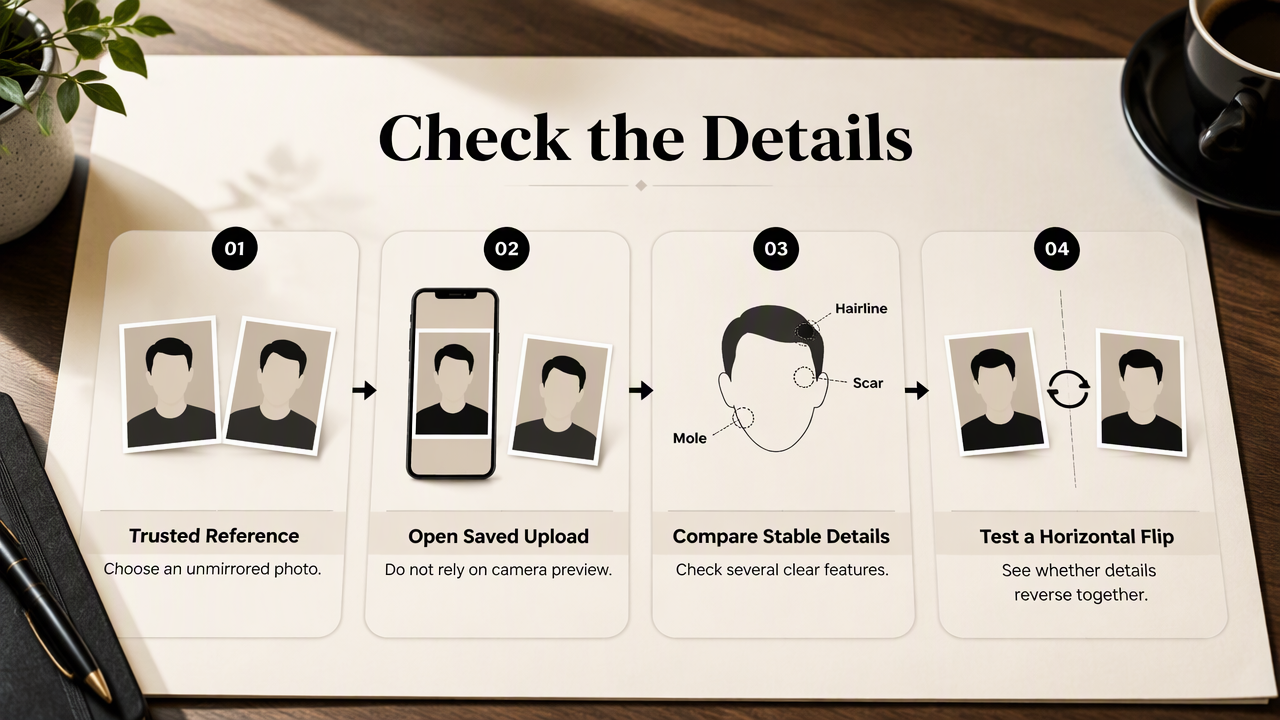
- Open the saved upload rather than relying on its camera preview.
- Compare several stable details, such as moles, scars, and hairline shape.
- Check whether those details all reverse together.
- Test a temporary horizontal flip before changing the original.
Use reference details instead of attractiveness
Stable identifying details provide better evidence than whether an image looks flattering. A distinctive mole near one cheek or a small scar above an eyebrow can be useful, provided it appears clearly in the reference.
Keep the comparisons tied to the same frame positions. A person's anatomical right side appears on the viewer's left in a straight-on, unmirrored portrait. Calling both positions "the right side" can create confusion.
Useful reference checks include:
- Persistent skin marks: Compare location, not just visibility under different lighting.
- Hairline shape: Prefer the underlying contour over a movable hair part.
- Ear details: Use a distinctive shape if both images show it clearly.
- Real photographed text: Reversed lettering can reveal a mirrored input, but generated lettering isn't reliable evidence.
Distinguish reversal from pose and lighting
Pose and lighting can change how facial asymmetry appears without reversing the image. A turned head changes the apparent size of each cheek, while directional light can hide a mark or emphasize one eyebrow.
For example, a cheek mole and hairline notch switching sides together supports a reversal diagnosis. A mole moving while the hairline stays consistent suggests a generated alteration instead. Missing details alone don't establish either explanation; shadows, resolution, and retouching can also obscure them.
How can mirrored AI headshots be corrected?
- Preserve the original headshot and upload files.
- Confirm whether the entire portrait is reversed against a trusted reference.
- Apply a horizontal flip only when all stable details reverse together.
- Review the corrected face, clothing, and background.
- Regenerate or choose another image when individual features remain inconsistent.
Flip only a confirmed whole-image reversal
A horizontal flip changes the entire frame, not just the face. Most photo editors provide a flip or mirror command; rotation is different and won't solve a left-right reversal.
After flipping, inspect the complete portrait at normal viewing size and close up. Clothing fasteners, signage, and accessories reverse too. An edit that restores facial orientation may leave other details less suitable for publication.
Avoid repeatedly flipping an image until it feels attractive. Save the preferred orientation only after checking reference details, then export a separate copy with a clear filename such as headshot-verified.jpg.
Improve references when a flip cannot help
Consistent references make review easier and reduce conflicting visual information. The competitor guide AI Headshot Doesn't Look Like Me: How to Fix It identifies low-quality or inconsistent uploads as a common reason for poor likeness. That doesn't prove a particular portrait is mirrored, but it supports checking the inputs before generating another set.
A practical reference set should prioritize:
- Clear, recent photographs that show recognizable facial details.
- Saved files checked for orientation before upload.
- Natural expressions and a few useful viewing angles.
- Minimal filters or edits that change facial proportions.
Several angles can help represent the face, but mixing mirrored and unmirrored references can introduce conflicting side placement. Follow the chosen service's upload requirements rather than assuming every generator needs the same photo count.
Perfect symmetry isn't the goal. Natural asymmetry helps preserve identity, especially in portraits intended for professional recognition.
A reference-led workflow with Looktara
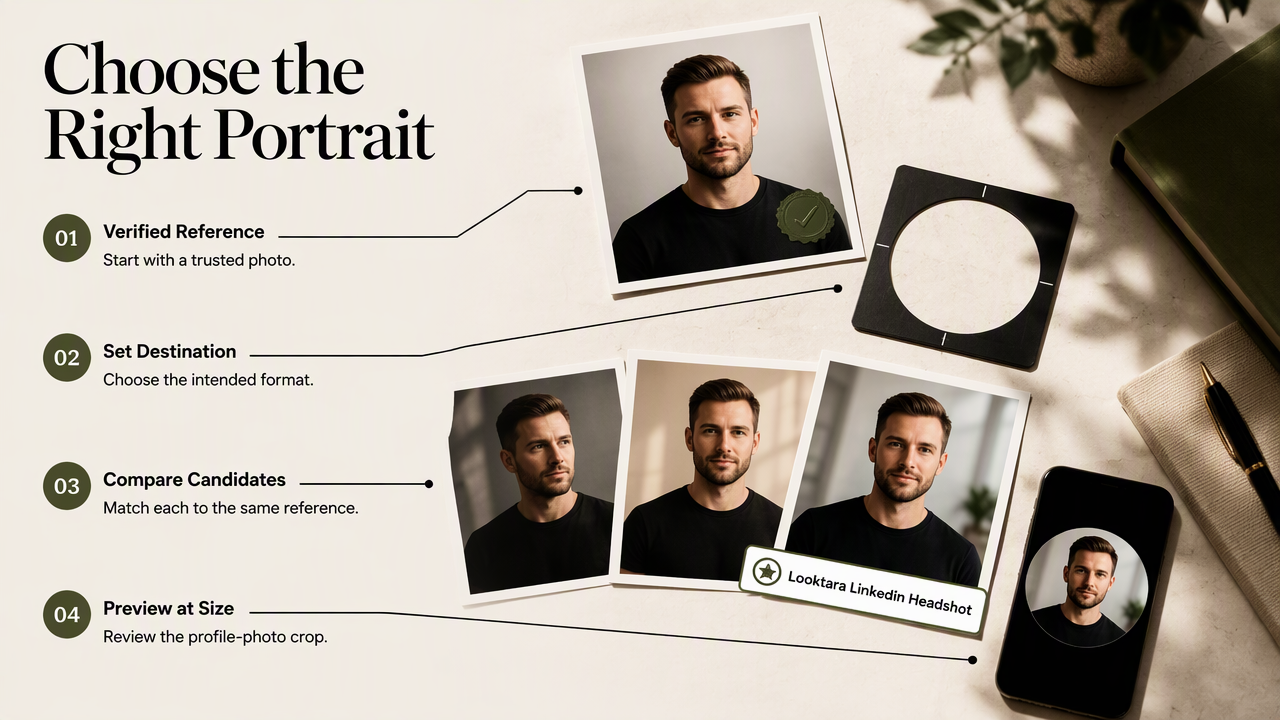
A reference-led workflow keeps portrait selection focused on recognizable identity and the intended publishing format. Start with a verified photograph, define the destination, and review candidate portraits against the same reference before deciding on a final crop.
Match the portrait to its publishing destination
For a fitness professional preparing a career profile, the Looktara LinkedIn headshot option provides a relevant starting point for professional imagery. The selection process should still include a reference comparison and a preview at profile-photo size.
Different destinations place different demands on the same portrait:
- LinkedIn: Check facial recognition in a small circular crop.
- Business storefronts: Check consistency with the brand's other imagery; the fitness Shopify headshot page is relevant to that use case.
- Newsletter author profiles: Prioritize a recognizable face at thumbnail size; the fitness newsletter headshot page addresses that publishing context.
A neutral filename and a saved reference copy help keep approved versions organized across channels. For service details and current options, visit looktara.com.
FAQ: Mirroring, likeness, and profile photos
Mirroring questions are best answered by comparing saved files and stable facial details rather than relying on preference alone.
A verified orientation is a useful quality check, not a requirement for a perfectly symmetrical face.
Does every front-facing camera save mirrored selfies?
Front-facing cameras don't all save selfies in the same orientation. The behavior can vary by device, app, and camera setting, and the live preview may differ from the saved file. Check an actual saved photograph with a known reference detail rather than assuming that its appearance matches the preview.
Will flipping an AI portrait restore an accurate likeness?
Flipping an AI portrait restores orientation only when the entire image is horizontally reversed. It won't repair changed eye shapes, altered proportions, missing marks, or a detail placed incorrectly on just one side. Those changes need another result or regeneration, followed by a fresh comparison with trusted photographs.
Should professional headshots show perfectly symmetrical faces?
Professional headshots don't need perfectly symmetrical faces. Small differences between the two sides are normal and can contribute to recognition. A useful selection standard is consistent identity, an appropriate expression, and clear presentation. Symmetry alone isn't evidence that a portrait is accurate, professional, or suitable for a LinkedIn profile.
Conclusion
The practical answer to why AI headshots look mirrored is to verify orientation before editing. Compare stable details, keep the original file, and flip only a confirmed whole-image reversal.
Once orientation and likeness are checked, the next step is a destination-specific crop and thumbnail review. Job seekers and business owners considering Looktara can prepare clear reference photos, choose the relevant profile format, and approve a portrait that remains recognizable at its final display size.
Generated by EarlySEO.com