
TL;DR
Start with the phone's built-in camera if its timer and original-size export meet the task. Choose selfer when automatic interval shooting matters, and check exposure, beauty settings, and saved image quality before committing to a full session.
A longer countdown won't rescue poor lighting or an over-smoothed face. The best camera app for self timer headshots is the one that provides enough setup time, consistent capture, and a clean saved image. For solo portraits, the useful shortlist starts with the built-in camera and selfer, rather than a long list of editing apps. Looktara also belongs in the wider headshot workflow as an AI portrait option for professional imagery.
Self-timer: A camera feature that delays the photograph after the shutter button is pressed, allowing the photographer to move into position.
Table of Contents
Which headshot tool fits each workflow?
The built-in camera is the sensible starting point for occasional headshots, while selfer is the clearest research-supported choice for automatic interval capture. The distinction matters: a countdown provides preparation time, but interval shooting provides several chances to capture a relaxed expression.
The available research explicitly describes selfer's automatic multiple-photo capture at a specified interval. It doesn't establish a tested winner for exposure controls, beauty settings, or export quality. The shortlist below therefore separates documented functionality from settings that need checking on the actual phone.
Capture tools versus AI portrait workflows
Looktara provides a separate AI headshot route; the camera choices below focus on collecting photographs alone.
| Tool or approach | Best fit | Timer evidence or requirement | Pre-session check |
|---|---|---|---|
| Looktara | AI-generated professional imagery | Separate portrait workflow | Review current input requirements |
| Built-in phone camera | Occasional, straightforward headshots | Confirm the available countdown | Check exposure options and original-size saving |
| selfer | Hands-free sequences with expression changes | Automatic photos at a specified interval | Verify current compatibility, settings, and saved detail |
| Retrica, YouCam, or B612 | Filter-oriented portrait styling | Timer support isn't established by the supplied research | Check beauty settings and unfiltered export |
The filter-oriented apps appear in the supplied portrait-app discussion, but that doesn't establish suitability for professional headshots. Selection should depend on capture behavior rather than the number of effects available.
Who should pick which capture option?
- Occasional LinkedIn updates: Start with the built-in camera, provided its timer gives enough time to settle into position.
- Several poses without repeated phone trips: Trial selfer's interval capture and inspect the resulting files.
- Styled creator portraits: Consider filter-oriented apps only after confirming that the desired treatment preserves recognizable facial details.
A useful timer app should make the capture session easier without becoming the main source of the portrait's appearance.
For any downloadable app, check the current store listing before installation. Availability, pricing, and permissions can change, and the supplied research doesn't confirm those details for 2026.
What settings matter for natural headshots?
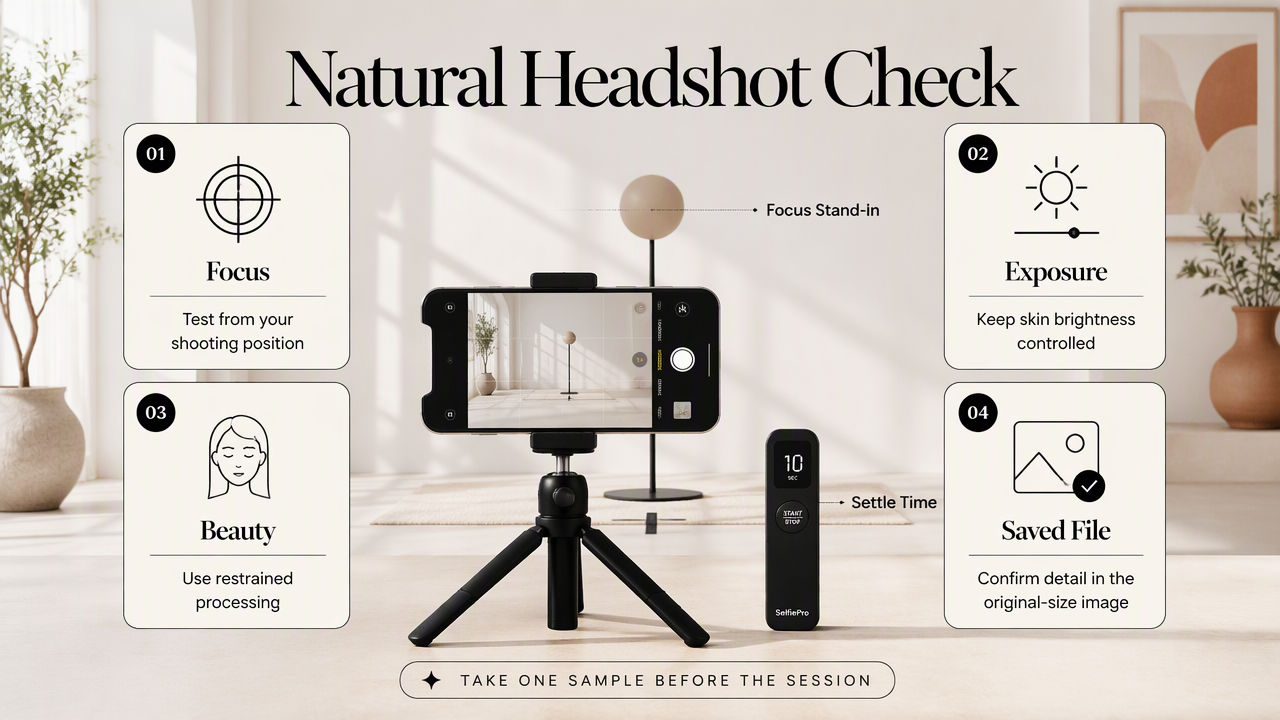
Natural headshots depend on reliable focus, controlled brightness, restrained beauty processing, and a high-quality saved file. Timer length matters mainly because the subject needs time to settle. Before a full session, one sample photograph should confirm that the chosen app preserves facial detail and saves a usable image.
Exposure and focus need a practical check
A preview can look acceptable while the saved photograph reveals a soft face or overly bright skin. Where the app offers focus or exposure control, test it from the intended shooting position. A substitute object placed near face position can help during setup, but the final check should use an actual portrait.
Keep the phone and lighting position consistent during comparison. Changing several variables at once makes it harder to tell whether the camera app helped.
Beauty settings and export need separate checks
Automatic smoothing can produce a polished preview without matching the intended professional style. Begin with beauty effects disabled or minimized, then compare saved images rather than relying on the live screen.
- Inspect the eyes, eyebrows, hairline, and skin texture at full size.
- Check whether saving adds a watermark or changes the crop.
- Compare saved dimensions with another capture option on the same phone.
- Keep an original copy before editing or resizing.
Large dimensions alone don't prove sharpness. Motion, missed focus, and heavy processing can still reduce useful detail. For a headshot, a clear, recognizable face is more valuable than an impressive-looking file specification.
How can solo portraits become repeatable?
A repeatable solo headshot setup keeps the phone, lighting, and subject position consistent while changing expressions between captures.
- Stabilize the phone at roughly eye level.
- Choose soft light and a simple background.
- Mark the subject position.
- Test focus, brightness, and timing.
- Capture several expressions.
- Review original files before editing.
Build one stable shooting position
A tripod or secure phone support removes the need to hold the camera at arm's length. Start with enough space for a head-and-shoulders composition, leaving room around the hair and shoulders for later cropping. Keep the lens close to eye level rather than pointing sharply upward.
Place the subject near a window with soft, even light. A plain wall or uncluttered background keeps attention on the face. Mark the standing or seated position with removable tape so each return to the frame is consistent.
A ten-second delay and a five-second interval are reasonable starting experiments where supported, not universal settings. The correct timing depends on the room, the distance to the phone, and how quickly the subject settles.
Capture variations instead of repeating one pose
Small changes usually provide a more useful selection than a long sequence of identical frames. Keep the camera fixed while trying a neutral expression, a slight smile, and a fuller smile. Pause briefly after each movement so the photograph captures a settled pose.
- Take a short test sequence and inspect it.
- Adjust one issue, such as framing or brightness.
- Capture a second sequence with expression changes.
- Select sharp originals before making crops.
Keep clothing and background aligned with the intended profile. A freelancer's website portrait may allow a more relaxed setting than a formal job application photograph.
Repeatable positioning makes the session easier to evaluate: expression becomes the main variable, rather than framing, distance, and light.
How Looktara handles this
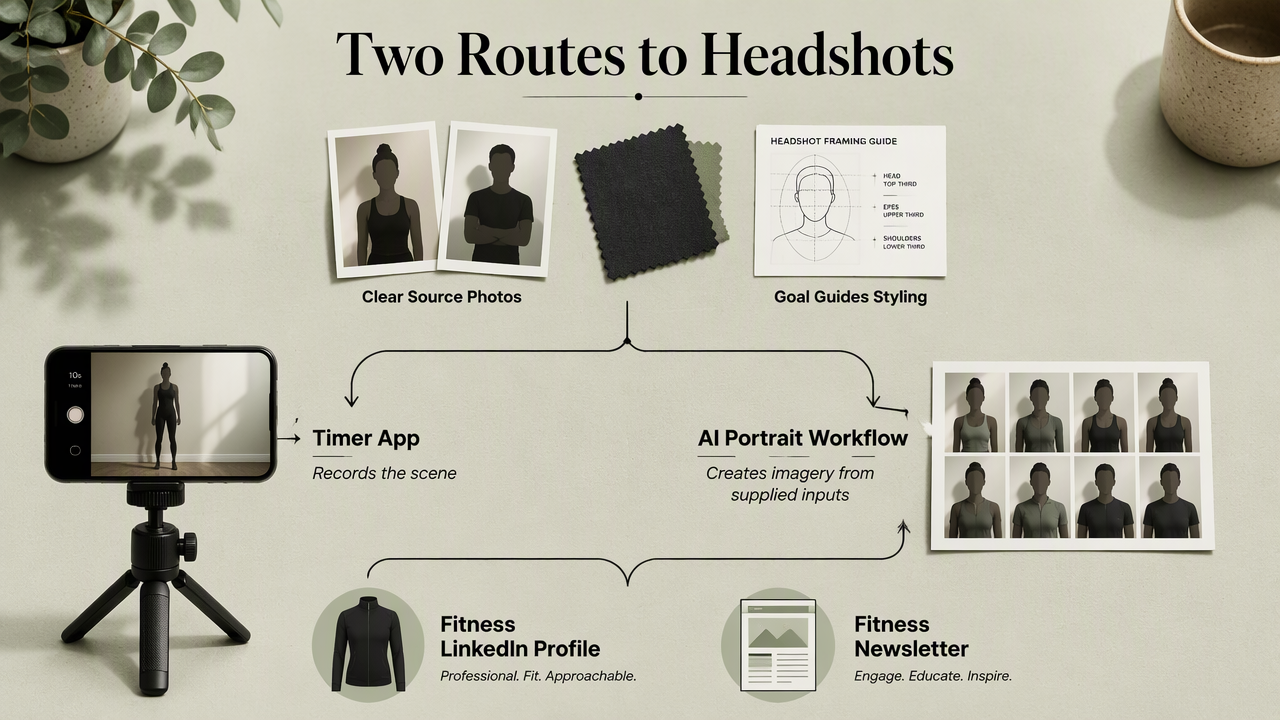
Looktara offers an AI headshot workflow for people seeking professional imagery alongside conventional camera capture. The distinction is straightforward: a timer app records a scene, while an AI portrait workflow creates imagery from supplied inputs. Clear source photographs remain useful preparation for reviewing either route.
Match the portrait route to its destination
A specific publishing goal helps guide clothing, expression, and framing. Fitness professionals preparing career profiles can explore the fitness LinkedIn resume headshot option. Fitness business owners preparing newsletter imagery can review the fitness newsletter resume headshot option.
Before uploading, check the platform's current photo requirements and select clear, representative originals. After generation, review resemblance and suitability for the intended professional context. A useful final portrait should feel consistent with the person's public presence.
- Career profiles: Favor recognizable features and an approachable expression.
- Business branding: Match the portrait's styling to the brand's tone.
- Creator profiles: Keep the image consistent with other published photographs.
Self-timer headshot FAQ
The most useful self-timer decisions concern capture timing, camera choice, background treatment, and saved-file quality.
Is selfer better than the built-in camera?
Selfer is the stronger candidate when automatic interval capture is the main requirement, because that function is explicitly described in the supplied research. The built-in camera remains a sensible starting point for occasional shots. A same-lighting comparison of saved photographs should decide which option works better on a particular phone.
Should headshots use the front or rear camera?
The better choice is whichever camera produces clearer saved portraits on the particular device. The front camera makes framing easier to monitor; the rear camera requires more setup. Compare both from the same position, inspect facial detail, and use a framing test before beginning the full session.
Is portrait mode necessary for a professional headshot?
Portrait mode isn't necessary when the background is already simple and the lighting suits the face. Where artificial background blur is available, inspect the boundaries around hair, glasses, and shoulders. Choose the version that looks natural at the intended display size rather than assuming stronger blur makes a photograph more professional.
Can a saved preview replace the original photograph?
The original saved photograph is the better starting point for cropping and editing. A preview or screenshot may include interface elements or provide less useful detail. Keep the original file, create a separate edited version, and check the destination's image requirements before exporting the final profile picture.
Conclusion
The best camera app for self timer headshots should earn its place through a short, repeatable capture test. Start with the built-in camera, trial interval shooting when needed, and compare original files under the same lighting. For an AI portrait route, visit looktara.com, review current input requirements, and prepare a set of clear photographs aligned with the intended profile.
Generated by EarlySEO.com