
TL;DR
An AI alumni portrait should preserve the graduate's recognizable appearance and meet the institution's submission rules. Confirm permission before generating, check facial details against recent photographs, and secure approval for the final crop and any required disclosure.
A polished portrait belongs in an alumni directory only when it still looks like the graduate. An AI photo generator for alumni directory portraits can help create a professional-looking image, but the directory's actual submission policy should guide the process. For a 2026 submission, the practical goal is a current, recognizable portrait that fits the required format and has the subject's approval.
Table of Contents
What is an AI alumni directory portrait?
An AI alumni directory portrait is a profile image created or substantially reconstructed with artificial intelligence to represent a graduate in an institutional directory. Unlike a simple crop or exposure adjustment, generation can introduce new visual details. Its suitability depends on identity accuracy, the graduate's consent, and the institution's acceptance rules.
Identity fidelity: The degree to which a portrait preserves the person's recognizable facial features and current appearance.
Submission approval: Confirmation that the final image meets the directory's policy and technical requirements.
These are separate checks. A believable portrait can still conflict with a university's image policy, while a correctly sized file can still misrepresent its subject.
Choose between generation, editing, and photography
The best method depends on the source photograph, the institution's rules, and the amount of change needed.
| Method | Best-fit situation | Main review requirement |
|---|---|---|
| AI-generated portrait | A fresh professional style is needed and generation is permitted | Compare facial features with recent photographs |
| Light photo editing | An existing portrait already captures the person accurately | Confirm edits stay within permitted adjustments |
| New photograph | The directory requires a camera-captured image or current photos are unsuitable | Follow lighting, background, and file instructions |
For a graduate with a good recent photograph, cropping and modest exposure correction may be sufficient. Generation becomes more useful when presentation needs a larger change, such as a different setting or clothing style, provided the directory permits it.
Key distinction: A directory portrait represents a real person. Visual polish should support recognition, not replace it.
How can alumni confirm directory photo rules?
Alumni can confirm directory photo rules through the current submission page and the office managing the directory.
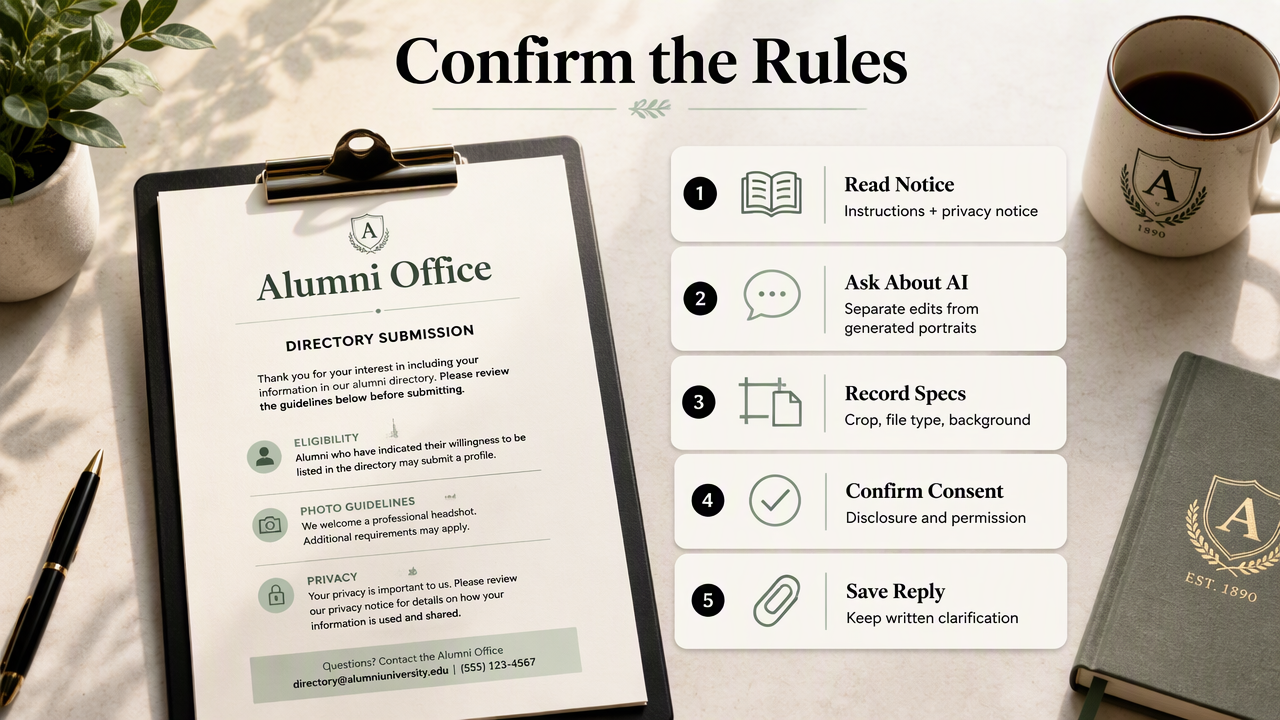
- Read the photo instructions and privacy notice.
- Ask whether generated or substantially altered portraits are accepted.
- Record crop, file, and background requirements.
- Confirm disclosure and consent expectations.
- Keep written clarification with the submission.
Resolve policy questions before uploading personal photos
A policy that permits photo editing does not necessarily permit image generation. If the wording is unclear, the alumni office should distinguish between ordinary retouching and a synthetic portrait based on personal photographs.
A useful inquiry describes the intended process plainly: an image generated from the graduate's own photographs, reviewed for likeness, and submitted only after approval. The office can then clarify whether that process is acceptable and whether a label is required.
Consent also has separate parts. The graduate should approve uploading source photos to a service, creating the portrait, and publishing the selected result. An administrator's access to an existing directory photo should not be treated as permission for all three.
Build a submission-specific approval checklist
A usable checklist records actual requirements rather than borrowing specifications from another directory.
- Permission: The institution accepts the proposed type of image.
- Consent: The graduate approves processing and the publication audience.
- Crop: The portrait meets the requested aspect ratio and head placement.
- Image quality: Pixel dimensions, format, and file size match the instructions.
- Disclosure: Any required AI label or submission note is included.
- Distribution: Public, member-only, downloadable, and printed uses are understood.
For example, a hypothetical directory requesting a square JPEG needs a square export, not a portrait-shaped image merely renamed with a .jpg extension. No single crop or resolution should be presented as universal.
How can alumni create a recognizable portrait?
Alumni can create a recognizable portrait by starting with recent photographs and reviewing the result against their actual appearance.
- Select clear, current source images.
- Choose restrained clothing and a simple background.
- Request preserved facial features and a natural expression.
- Compare results with the originals.
- Export and approve the directory-ready crop.
Use source photos that make identity easy to read
Clear source photographs make likeness easier to assess. Useful inputs show an unobstructed face, ordinary lighting, and a current hairstyle. A consistent recent set is preferable to a mixture of photographs taken across very different ages or appearances.
A restrained prompt might request a head-and-shoulders portrait, a plain background, natural skin texture, and the same facial proportions as the supplied images. Such instructions describe the intended result; they do not guarantee that every generated detail will be accurate.
Personal presentation should remain plausible. Clothing can suit the directory's tone without implying an unearned credential, award, institutional role, or professional qualification.
Check teeth, facial structure, and the final crop
The likeness review should focus on identity-bearing details, not just attractiveness. Compare eye shape, nose proportions, jawline, hairline, skin tone, glasses, and distinctive marks against a recent photograph. A familiar colleague can provide a second recognition check, with the graduate's permission.
Smiles deserve particular attention. Generated teeth should not be accepted simply because they look tidy; spacing, shape, and the overall smile should remain recognizable. When a result differs noticeably, another version or a camera-captured photo is a better choice than accepting the change.
- Inspect the full-size image for altered features and visible artifacts.
- Preview the exact directory crop for headroom and face placement.
- Check a small thumbnail for recognition at normal browsing size.
- Obtain the graduate's approval of the final file, not just an earlier preview.
After likeness approval, inspect edges around hair, glasses, ears, and clothing. Keep the approved original export so later resizing does not become repeated downloading and recompression.
How Looktara handles this portrait workflow
Looktara offers a relevant AI photo option for alumni seeking professional portrait imagery. The most useful approach is to bring an approved visual brief into the creation process: a recognizable face, directory-appropriate styling, and a clear intended crop. The institution remains the authority on submission acceptance.
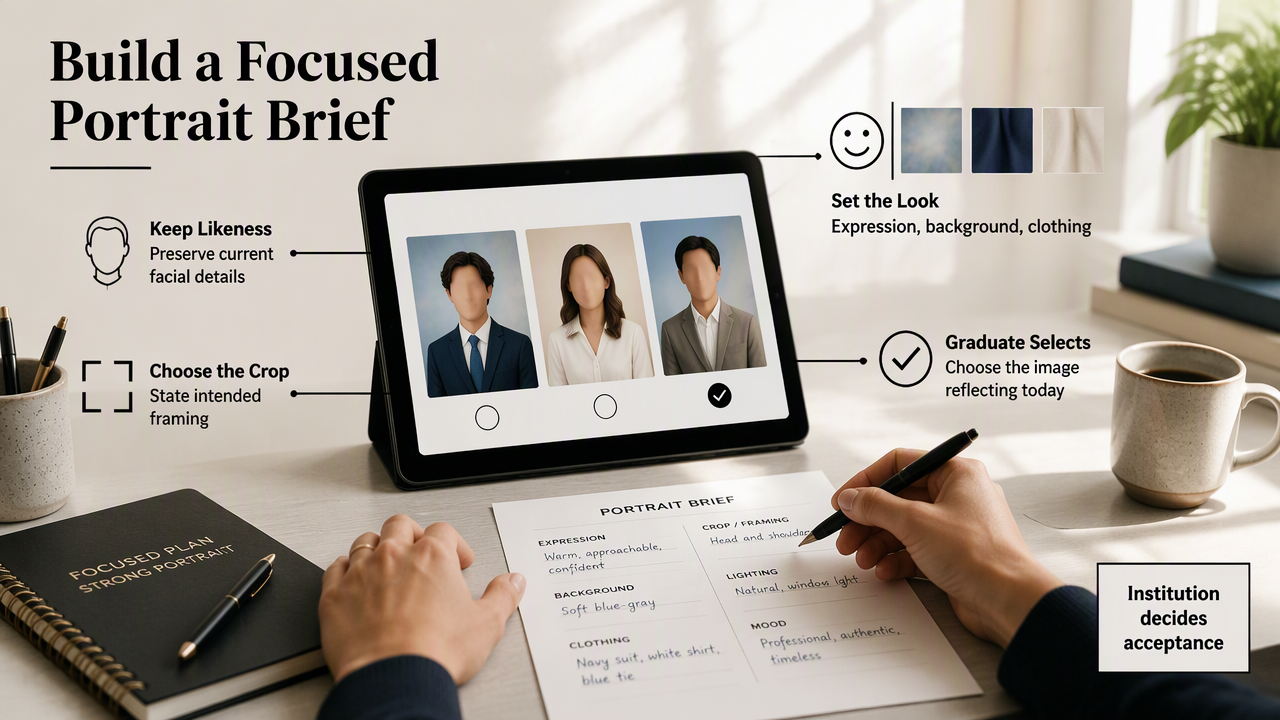
A short brief keeps the project focused. It can specify the desired expression, background, clothing style, and framing while naming the facial details that should remain unchanged. The graduate then selects the image that best reflects their current appearance.
Match the creation method to the directory task
Looktara fits the creation stage of this workflow, while the graduate and directory administrator handle identity approval and policy confirmation. Keeping those responsibilities distinct gives the portrait a clear route from creative output to an approved directory file.
- Choose an AI photo workflow when generation is permitted and a new professional presentation is useful.
- Choose light editing when a current photo already works and needs only allowed adjustments.
- Choose photography when a camera-captured portrait is required or preferred.
Before purchasing any service, alumni should check its current upload requirements, usage terms, retention information, and deletion options. Those details matter when personal photographs are being processed, regardless of which creation method the project uses.
Alumni portrait approval FAQ
Alumni portrait approval depends on the institution's policy, the subject's consent, and the final image's accuracy.
Approval principle: Treat permission, likeness, file compliance, and disclosure as four separate decisions.
Do all universities accept AI-generated alumni photos?
Acceptance should not be assumed across institutions. The current directory instructions are the starting point, and unclear wording should be referred to the office responsible for submissions. A university may distinguish between basic photo correction and generation. Alumni should obtain clarification before spending time or money on an image.
Does an AI portrait need a disclosure label?
Disclosure depends on the directory's requirements and the applicable publication context. If the submission form asks about AI use, the answer should describe the image accurately. When no instruction exists, the administrator can clarify whether a label, private submission note, or another form of disclosure is expected.
Can an alumni office generate portraits for an entire class?
A class-wide project needs an approved process for consent, source-photo handling, review, and publication. Consistent framing can help the directory look orderly, but each graduate still needs an individual likeness check. A small pilot can confirm the brief and approval steps before the office expands the project.
Can the same portrait appear on LinkedIn?
The same portrait may suit an alumni directory and LinkedIn when it accurately represents the graduate and the service's usage terms allow both uses. Each destination needs its own crop and policy check. Approval for one directory should not be treated as automatic approval for another platform.
Conclusion
Submit a portrait that earns approval
An AI photo generator for alumni directory portraits works best with a clear institutional brief and a graduate-approved final image. The next steps are concrete: confirm permission, gather recent photographs, create a restrained portrait, and review likeness and export settings. Alumni ready to explore Looktara can visit looktara.com, then submit only the version that passes the directory's consent, crop, quality, and disclosure checks.
Generated by EarlySEO.com