
TL;DR
Company page admins should use a recognizable personal headshot that complements the company's visual style without replacing its logo. Start with a shared portrait brief, review AI results for facial accuracy, and check the final image beside the personal banner and company page before publishing.
A company page logo identifies the business; an admin's headshot identifies the person speaking for it. An AI headshot for LinkedIn company page admins should support both personal credibility and brand consistency, especially when founders, marketers, and operators participate in public conversations. Looktara offers a starting point for professional brand imagery, while a clear visual brief keeps the result focused on the person behind the role.
Admin headshot: A professional portrait used on a company page administrator's personal LinkedIn profile, distinct from the company page's logo or banner.
The goal is a recognizable person with a company-compatible visual style, not a human version of the company logo.
Table of Contents
Why do company page admins need a personal headshot?
Company page admins need a personal headshot because their individual profiles can provide human context when they represent a business on LinkedIn. A portrait helps distinguish the founder, marketer, or operator from the organization itself. Its role is identification and visual continuity, not proof of employment, expertise, or administrative access.
Separate personal identity from company identity
LinkedIn supports professional networking and career development, so an admin's profile serves a broader purpose than managing one page. The portrait should remain suitable for professional introductions, speaking engagements, and future roles.
An admin headshot also doesn't mean a technical system-administrator portrait. Here, "admin" refers to the person managing a LinkedIn company page, such as a founder, marketing lead, or agency operator.
Give each LinkedIn image a distinct job
The personal portrait, personal banner, and company assets should coordinate without becoming interchangeable.
| Asset | Main purpose | Recommended visual treatment |
|---|---|---|
| Personal profile photo | Identify the individual | Clear face, simple background, recognizable appearance |
| Personal profile banner | Explain professional context | Relevant brand colors, restrained messaging, role context |
| Company page logo | Identify the organization | Approved logo rather than an employee portrait |
| Company page banner | Communicate the business | Brand imagery, positioning, or a current campaign |
A portrait can reinforce trust through consistency, but no supplied research establishes that AI headshots increase LinkedIn reach, leads, or profile views.
What makes an admin headshot fit the company brand?
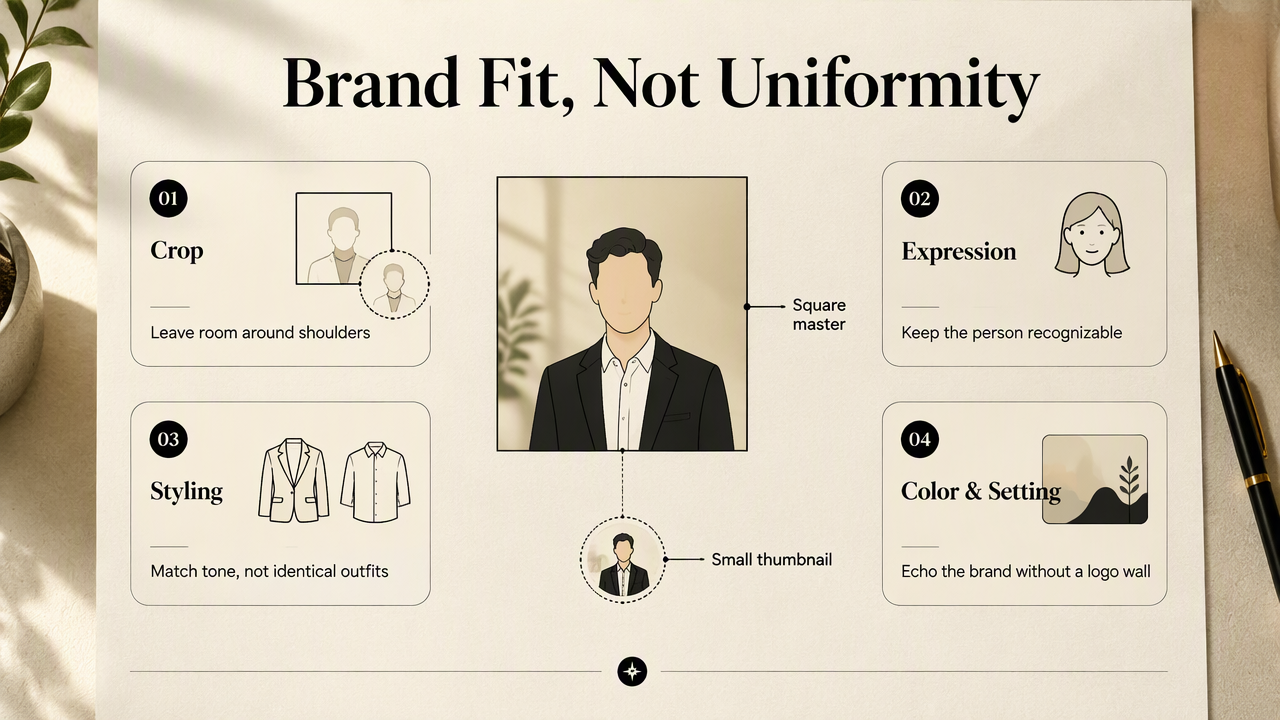
An admin headshot fits the company brand when its crop, expression, clothing, background, and color treatment share the company's visual tone while preserving the person's actual appearance. Consistency should come from a small set of styling choices, not identical faces, outfits, or heavily branded backgrounds across every team member.
Choose a crop and expression that survive small displays
The face should remain easy to recognize when the portrait appears as a small circular thumbnail. A square working image with space above the head and around the shoulders gives the crop room to breathe. These are design recommendations, not claims about LinkedIn's current upload requirements.
A relaxed expression often suits founders and client-facing operators. A neutral expression can suit a more formal brand. Neither choice should distort the person's usual smile or make the portrait feel unrelated to real meetings.
- Keep the eyes clearly visible and the face unobstructed.
- Leave enough space to avoid cutting into the hair or chin.
- Preview the image at thumbnail size, not only full screen.
- Choose an expression colleagues would recognize.
Match backgrounds and clothing to the business
Backgrounds should support the face rather than compete with it. A plain neutral backdrop, softly rendered workspace, or restrained brand-color treatment can connect the portrait to the company page. Detailed offices and oversized logos usually add little at thumbnail size.
Clothing should reflect the role's real expectations. A fitness founder might choose polished athletic clothing, while a financial-services operator might prefer a jacket or structured shirt. Brand consistency doesn't require making every industry look like a traditional corporate office.
Coordinate the portrait with the personal banner
The personal banner can carry stronger brand signals than the headshot. Matching one accent color or a similar lighting mood is usually enough; repeating the same background everywhere can feel rigid.
For fitness businesses, a fitness LinkedIn banner generator provides a relevant companion destination. The portrait should still remain the visual anchor, with banner text and imagery supporting the person's professional context.
How should admins prepare and approve an AI headshot?
Admins should prepare and approve an AI headshot through a short, repeatable review process:
- Define the company's portrait style and intended use.
- Select recent, clear reference photographs.
- Generate portraits within the agreed visual brief.
- Review likeness, details, and image handling.
- Test the selected image beside LinkedIn profile assets.
Write the brief before selecting a tool
A useful brief specifies clothing, expression, background, lighting, and crop. It should also state which personal traits must remain unchanged, including hairstyle, glasses, facial hair, and visible accessibility aids where applicable.
For example: Approachable founder portrait, navy shirt, soft gray background, natural smile, even lighting, square composition with shoulder space. That brief is specific enough to guide selection without prescribing a different identity.
Recent reference photos should show the person clearly under ordinary lighting. Mixing old and current appearances can make the intended likeness harder to judge.
Review authenticity and handling separately
Visual approval and privacy review answer different questions. The first checks whether the portrait represents the person accurately. The second checks how uploaded photographs are stored, used, shared, and deleted under the provider's current terms.
- Compare facial proportions, teeth, glasses, and hair with reference photos.
- Inspect collars, jewelry, ears, and background details at full size.
- Confirm consent before uploading another employee's photographs.
- Review retention, deletion, and training-use terms before purchase.
The 2023 ACM paper on sociotechnical audits examines algorithm auditing in targeted advertising. It provides broader context for reviewing systems beyond their visible outputs, not evidence about headshot quality or LinkedIn performance.
Assign a lightweight approval owner
One brand reviewer and the photographed person can usually handle a small team's approval process. The brand reviewer checks visual fit; the individual confirms likeness and comfort with publication.
Record the approved image, date, and intended placements. Revisit the portrait when appearance, role, or company positioning changes rather than replacing it merely because a new visual trend appears.
How Looktara handles this
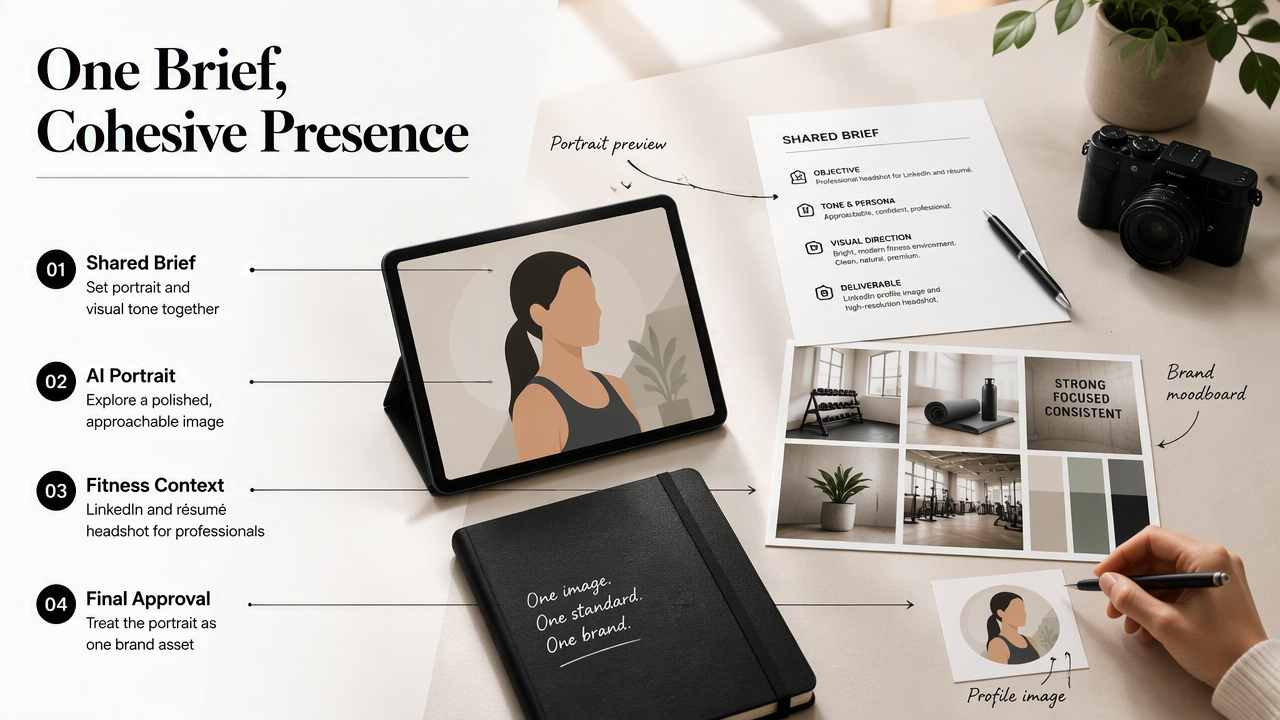
Looktara gives company page admins a place to explore AI portrait imagery alongside related professional brand assets. The practical approach is to use a shared brief for the portrait and its surrounding visuals, then approve the personal image as one part of a coordinated LinkedIn presence.
Start with a role-specific portrait destination
For a fitness founder, coach, or studio operator, the fitness LinkedIn and résumé headshot generator directly matches the professional context. A suitable brief can balance approachability with the polished appearance expected on a business profile.
The same planning principle applies across industries: define the role first, then choose styling that makes sense for the company and the individual. A founder's public-facing portrait may need a different tone from an operations lead's image.
Extend the style to supporting content
A coordinated presence can carry the portrait's lighting mood or accent colors into published content. Fitness businesses can also explore fitness LinkedIn post imagery when planning related company updates.
A small visual system is easier to maintain than a collection of unrelated images.
Useful handoff materials include the approved portrait, a background reference, clothing guidance, and a short color note. Future admins can follow that standard while retaining their own appearance.
FAQ: Admin portraits, authenticity, and team consistency
Admin portrait decisions work best when personal identity, company assets, and approval responsibilities remain clearly separated.
Should the admin's headshot replace the company page logo?
The admin's headshot should normally stay on the personal profile, while the company page uses its approved organizational identity. Keeping those assets separate makes their purposes clearer. A founder-led business may feature the founder in banners or posts, but that doesn't make the personal portrait interchangeable with the company logo.
Should every company page admin use the same headshot style?
Every admin can follow the same visual brief without using identical clothing or backgrounds. Shared lighting, crop, and color choices are often enough to create continuity. Individual expressions and role-appropriate outfits preserve personality, while a simple approval checklist keeps the team's public-facing images reasonably consistent.
Can an AI headshot look too different from the real person?
An AI portrait can differ from the reference photographs, so personal approval should remain part of the workflow. The strongest selection is recognizable in an ordinary meeting, not merely attractive on screen. If the image changes distinctive facial features or creates an unfamiliar expression, another version or a conventional photograph is the better choice.
Conclusion
An effective AI headshot for LinkedIn company page admins starts with a recognizable person and a clear brand brief. Assign an approval owner, settle the crop and styling, and review the portrait beside the personal banner and company page. For teams ready to build coordinated professional imagery, Looktara at looktara.com provides a practical starting point for that next step.
Generated by EarlySEO.com